Nucleation tab
This part of MICpad presents a GUI based input dialog of the nucleation part of the driving file. Other parts of the text input file are on the roadmap.
Nucleation GUI features
Whenever possible, the GUI present drop down menus for the input options.
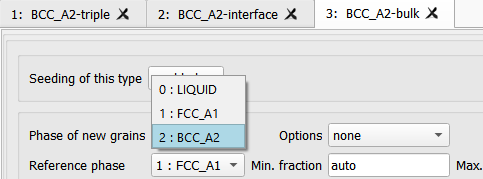
The phase name list is derived from driving file, i.e. using clear names in the phase definition will help. Each entry contains the MICRESS phase index and the Thermo-Calc phase name, resp. the defined alias.
A fix option list, e.g. for the seed position, looks like this
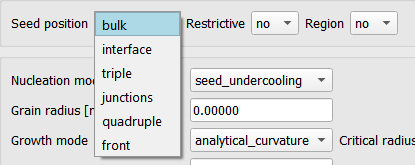
The GUI elements will be updated according to your choice and the according parameter GUI elements will be shown. The GUI does not forget. If you switch back to a former choice, your previous input values for this option are still there.
Optional parameters are indicated by the keyword 'auto' or 'none'. These input fields can be left empty, too.

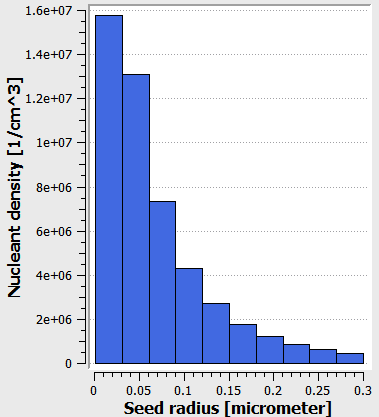
The seed density parameters are supported with a plot of the resulting seed classes histogram. Seeing the direct impact on your seed distribution should help a lot adjusting the seed density model parameter.
Initialization based on the driving file
The GUI works with parameter of the newest MICRESS version (currently 7.4).
MICpad will parse an opened driving file to initialize the GUI input elements. This works with MICRESS versions 7.xxx. MICRESS 7.4 has some new input parameters that might not be initialized when reading from older files. E.g. the nucleation check distance or the parameters for verbosity and 'kill metastable' which can be given per seed type instead one parameter for all (Nucleation input).
Looking at or even convert old driving files:
- no modifications in the GUI: the driving file will not be modified. The old syntax will not be overwritten.
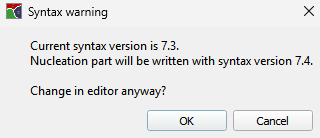
- modifications in the GUI: changes will be written to the driving file in new syntax after a warning. Be aware that this mixed syntax driving file is not valid anymore.
Recommended conversion steps for older driving files: - Make a 2 copies of your old file. - Convert the part before nucleation in your first copy to the new syntax. This can be done by running MICRESS. - Use the second copy to convert the nucleation part, i.e. let the nucleation GUI write syntax for 7.4. - Copy and paste the new nucleation part from your second copy to your first copy. - Continue to convert the part after nucleation to the new syntax in your first copy.
Your first copy should be a valid new driving file after that procedure. Sounds more complicated than it is.
If parsing of the driving file fails because the preceding part before nucleation is syntactically not correct, the following error message will raise.
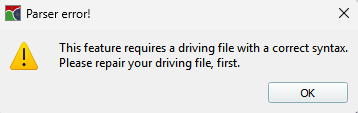
In this case, the part before the nucleation input has to be fixed in the usual driving file editor.
Synchronization with text input of the driving file
Whenever changing from nucleation to driving file or the run tab, the parameters will be written to the driving file in a dense format. Also, starting the simulation will do so.
Be aware that you do not have to confirm or apply modifications done in the GUI. Modifications here have the same priority as direct modification in the driving file.
# Type 1:  SOLID-bulk
# ----------------------
bulk                 # position
1                    # phase of new grain:  SOLID
0                    # reference phase:  LIQUID
seed_density lognormal_1
5.0000000000000E-02  # Median radius [micrometer]
1.00000000000        # Standard deviation
10                   # Number of seed density classes
50000000.00000       # Total seed density [1/cm^3]
0.00100 0.30000      # Seed radius range [micrometer]
random               # Determination of orientation
constant             # Shield time type (phase or group number)
5.                   # Shield time [s]
10.                  # Shield distance [micrometer]
0.000000000000       # min. temperature [K]
2000.000000000       # max. temperature [K]
constant             # Check interval type
1.00000E-02          # Check interval [s]
-1 -1                # Max. number of new nuclei (optional: max. simultaneous nucleations)
no_nucleation_noise
11111                # Random number generator for positions
no_kill_metastable
no_verbose
Exception:
In case of an older driving file, a warning will be shown that the syntax of 7.4 will be written to the driving file. If you cancel here, nothing will happen. This way, the nucleation part of old driving files can be examined by the GUI but modifications have to be done directly in the driving file.